About This Set
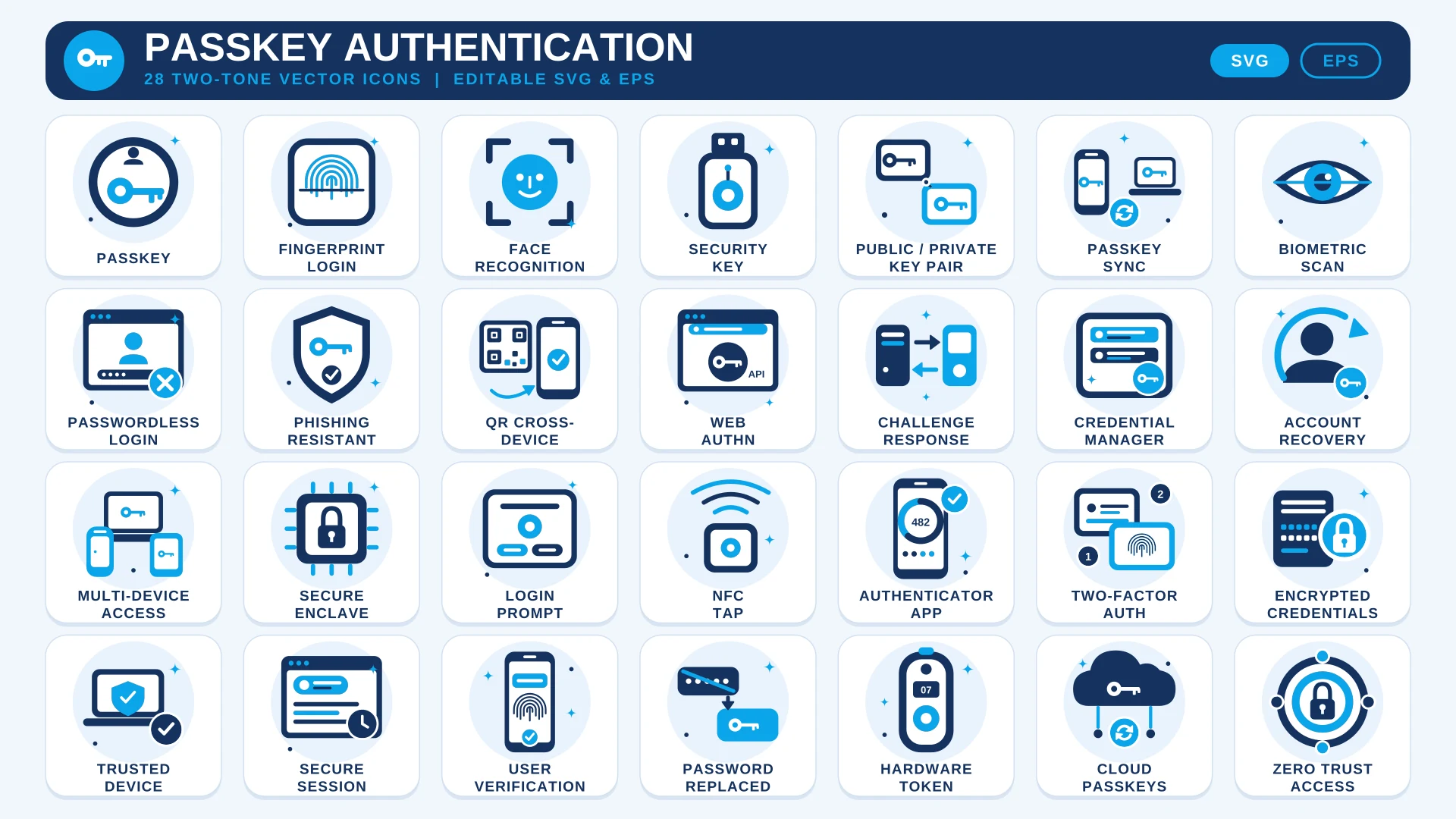
Passkeys are easy to use and hard to explain. This set gives you 28 icons that make the idea visible: Passkey, Fingerprint Login, Face Recognition, Security Key, Biometric Scan and Passwordless Login, with Password Replaced to show the change at a glance.
Behind the login screen, the set covers how passkeys actually work: Public / Private Key Pair, Challenge Response, WebAuthn, Secure Enclave, Credential Manager and Cloud Passkeys. Safety and recovery are there too, with Phishing Resistant, Account Recovery, Trusted Device and Zero Trust Access. All icons share a navy and sky blue style that works on a sign-in page or a security guide, and the SVG and EPS files are editable vectors.
Building a software product around the login? The SaaS Icon Set adds single sign-on and role permissions, and the AI Governance & Ethics Icon Set covers data privacy and compliance.
Where to Use It
- Login and Sign-Up ScreensShow the passkey, fingerprint and face recognition options as clear choices.
- Security and Trust PagesExplain phishing resistance, secure sessions and zero trust access in plain pictures.
- Developer GuidesMark sections on WebAuthn, challenge response and credential management.
- Help Centre ArticlesGuide users through account recovery, trusted devices and cross-device sign-in.
- Product AnnouncementsIntroduce passwordless login in a blog post, email or launch deck.
Questions About This Set
What authentication topics do the icons cover?
The 28 icons include Passkey, Fingerprint Login, Face Recognition, Security Key, Passwordless Login, WebAuthn, Phishing Resistant, Account Recovery, Two-Factor Auth and Zero Trust Access.
Can I use them in a login screen or app?
Yes. Commercial use is free with a credit link to HandyIcons, for example on your credits page or website footer.
Will they work on a dark interface?
The icons use navy and sky blue, so they suit light backgrounds best. You can recolour the SVG for a dark theme.
Which file should I use for a website?
Use the SVG. It stays sharp at any size and can be styled with CSS when inlined.
 Advertising & Marketing Icon Set
  AI Workflow Icon Set
  Digital Marketing Icon Set